Updating the Firmware of the ST-Link

Creato il giovedì 10 agosto 2023
Ultima modifica il giovedì 10 agosto 2023
Ultima modifica il giovedì 10 agosto 2023
visualizzazioni
5 minuto(i)
Principiante
Contenuto
- Liste du matériel nécessaire
- Why Update the Firmware of the ST-Link?
- Follow the steps in the video
- Programming
This tutorial should be followed in case of malfunction of your NUCLEO-LR476RG board.
If you're experiencing difficulties uploading a program to your NUCLEO-L476RG board, it might be due to an issue with the ST-Link firmware.
Before proceeding with the update, we kindly ask you to verify:
If despite taking these precautions, you still find it impossible to upload a program to the board, it's recommended to carry out this firmware update.
Before proceeding with the update, we kindly ask you to verify:
- That you are using either the Chrome or Opera browser.
- That you have successfully downloaded the board's firmware initially before attempting to upload a program (tutorial link).
If despite taking these precautions, you still find it impossible to upload a program to the board, it's recommended to carry out this firmware update.
You will also need to download the STM32CubeProgrammer software.
Once the software is downloaded, you can follow the steps described in the video:
Note: If you are unable to connect to the board, simply hold down the RESET button (black button on the board), click on CONNECT, and then release the button.
Once the software is downloaded, you can follow the steps described in the video:
Note: If you are unable to connect to the board, simply hold down the RESET button (black button on the board), click on CONNECT, and then release the button.
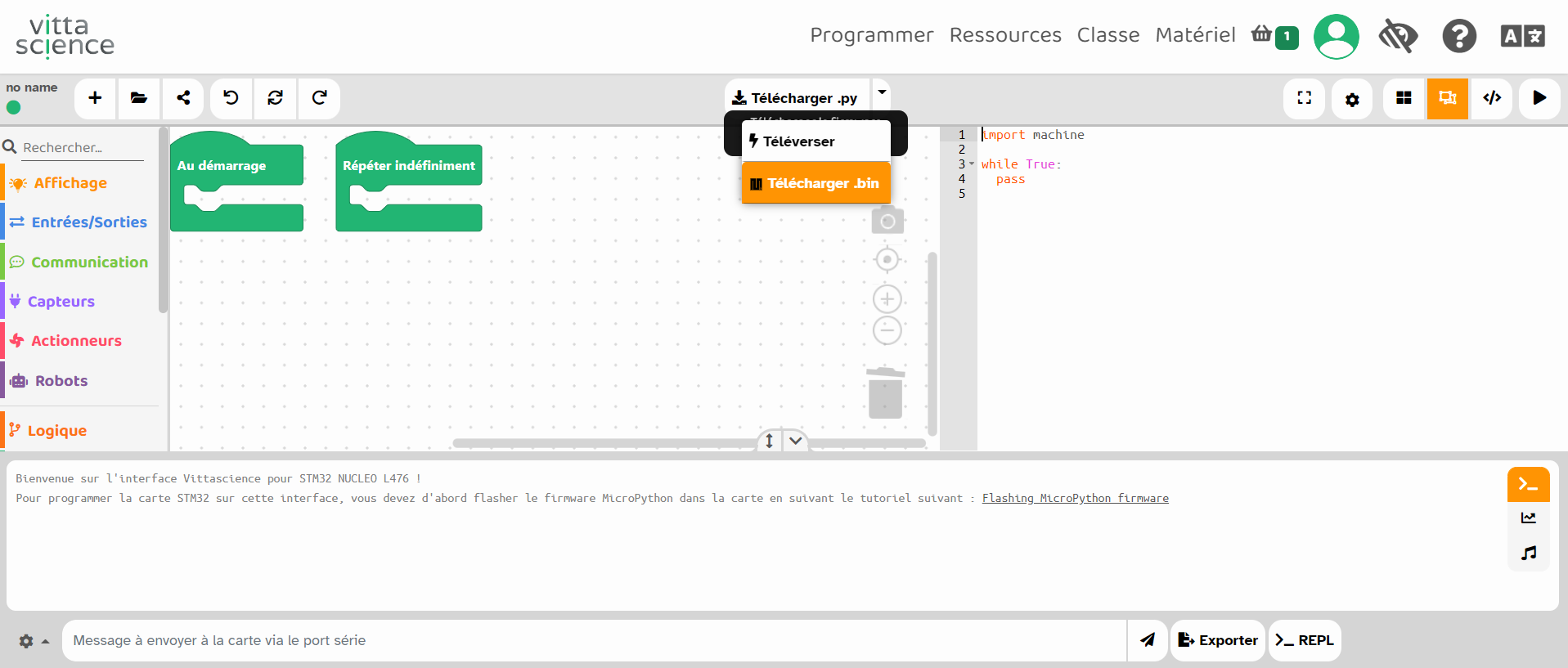
Before you can directly upload programs from the Vittascience platform, you just need to download and drag the .bin file available on the website onto the board:
Your board is ready to use!
Your board is ready to use!
Risorse consigliate
Licenza d'uso

Questa risorsa è resa disponibile secondo i termini della Creative Commons Attribution License - Condivisione alle stesse condizioni 2.0 France

Copyright © 2026 Vittascience